The Undercut Racing Manager System requirements
A small install, a live sim, and Deck notes for Early Access 0.5.4.
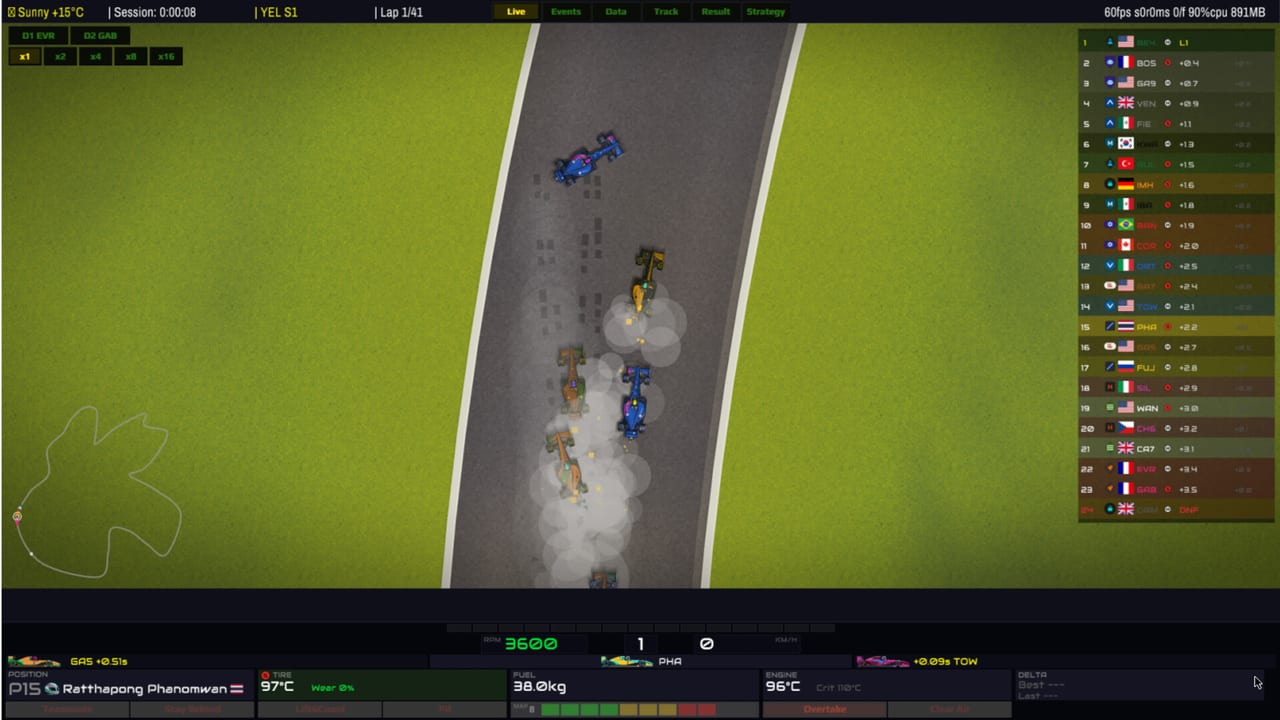
The Undercut: Racing Manager is a 2D management sim with a physics race running underneath. The install is tiny. The CPU still works: every car on track is simulated, not animated on rails. Use this page to sanity-check a laptop, a Mac, a Linux box, or a Steam Deck before you trust a five-season career to it.
Official figures come from the Steam store page for app 4514930. If Steam and this page ever disagree, Steam wins. Confirm the live page from the links hub. Input and display quirks sit on controls.
Windows (64-bit)
Minimum: Windows 10/11, Intel Core i3-6100 or AMD Ryzen 3 1200, 4 GB RAM, Intel HD 530 / NVIDIA GT 1030 / AMD RX 550 with OpenGL 3.3, 500 MB storage, any sound card.
Recommended: Windows 10/11, Intel Core i5-8400 or AMD Ryzen 5 2600, 8 GB RAM, NVIDIA GTX 1050 or AMD RX 560 with OpenGL 4.1, 700 MB storage.
No VR. You do not need a racing wheel. Keyboard-only and mouse-only are listed as supported. Save anytime.
0.5.4 fixed a Windows crash on exit and taught high-refresh / high-resolution displays to behave. 0.5.4-1 forces fullscreen to native resolution (a smaller fullscreen used to paint the track black under the HUD — use windowed mode if you need a smaller render) and replaced the live menu track with a static image to save CPU. 0.5.4-2 lets UI Scale and in-race HUD scale go to 300% and 400% on 4K / Retina, and restores menu music, clicks, and tutorial voice on devices that had been silent. See hotfix notes. Do not let the pause-menu Settings path auto-select a mode — that bug is patched, but look at the number before you hit confirm.
macOS
Minimum: macOS 10.15 Catalina, Intel Core i5 (2018 Mac) or Apple M1, 4 GB RAM, Intel Iris Plus 645 or Apple M1 integrated (Metal with OpenGL translation), 500 MB storage.
Recommended: macOS 13 Ventura, Apple M1 or Intel Core i7 (2020 Mac), 8 GB RAM, Apple M1 integrated or better, 700 MB storage.
The sim is light, but translation layers can still hitch on live races at high multipliers. If a session stutters, cap FPS, drop to 1× to issue orders, then raise speed again. That is a pitwall habit as much as a hardware habit.
Linux and SteamOS
Minimum: Ubuntu 20.04 LTS or SteamOS 3.0 (64-bit), same CPU/GPU story as Windows minimum, 4 GB RAM, 500 MB storage, glibc 2.31+, ALSA.
Recommended: Ubuntu 22.04 LTS or SteamOS 3.5, same CPU/GPU story as Windows recommended, 8 GB RAM, 700 MB storage.
The Linux demo could crash on Steam Deck at launch before 0.5.4. That is fixed. If you are on an older demo build, update.
Steam Deck
Steam’s Deck verification flag may still read unknown while the developer ships Deck-specific fixes. Practical status in 0.5.4: playable, with the selection ring now listening to any stick or the D-pad so infrastructure and negotiation UI can be used without a mouse template. Bumpers move tabs and values. Start continues the repair screen. Podium and country screens fit.
Bind a stick or D-pad to the selection ring. If you leave the default “right stick is mouse” layout alone, you will fight the desktop. Details on controls.
Thermals: cap FPS, keep live races at a speed you can pause, and Quick Sim practice if the fan is the loudest thing in the room. Storage is not the issue.
What actually stresses the machine
- Live race at 1× with every overlay open (Data tab plus tower plus minimap).
- High-refresh fullscreen on a 4K display.
- Very high simulation multipliers with full field physics.
What does not: texture quality (there is almost none), ray tracing (there is none), shader preset anxiety. This is a 1990s pitwall aesthetic on purpose. If a toaster-class GPU meets OpenGL 3.3 and the CPU is not from 2012, you are usually fine.
Demo as the real test
Download the PC demo from the Steam page (demo app 4667680). Run a live qualifying session and a race stint, not only the menu. If the desktop apps open instantly and the race holds 1× without hitching, the full career will too. If the Deck cannot select a department after 0.5.4, your layout is wrong, not the hardware.
Family Sharing is enabled. Single-player only in this build. Multiplayer is a roadmap item and will have its own requirements later.
After you are sure it runs, go back to getting started and spend your attention on Medium budget, not on GPU brands.
Frequently Asked Questions
Quick answers for pitwall decisions, scouting, and career systems.
How big is the install?
On the order of 500–700 MB. The bottleneck is CPU and your attention, not disk.
Does it run on Steam Deck?
Yes in 0.5.4 with input fixes. Bind the selection ring to a stick or D-pad. See controls.
Mac and Linux are supported?
Yes. Official minimums are on this page and on Steam. Use the demo as the real test.
Will weather updates raise requirements?
Possibly a little. Recheck Steam after roadmap update 1. The install should stay small.